Restaurant Technology Guide: POS Systems, Apps & Tools That Work
Navigate the overwhelming world of restaurant technology. Compare POS systems, reservation platforms, delivery apps, and back-office tools to find the right fit.
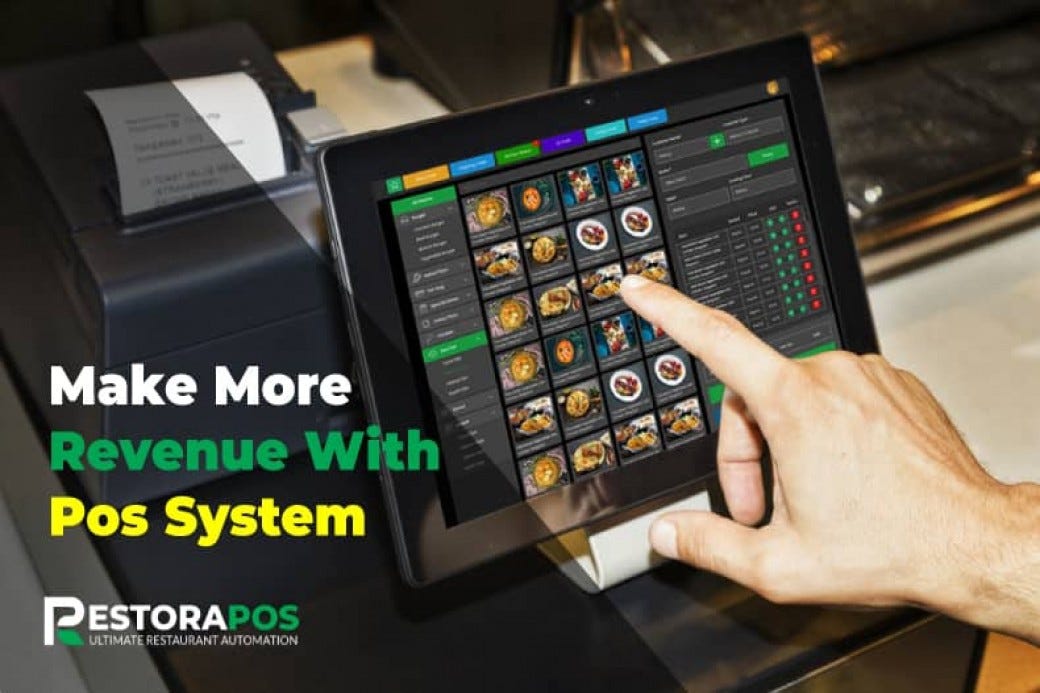
Technology has transformed restaurant operations. The right tools save time, reduce errors, and improve guest experience. The wrong ones waste money and create frustration. Here's how to choose wisely.
The Restaurant Technology Stack
Modern restaurants need technology across several categories:
| Category | Purpose | Examples |
|---|---|---|
| POS System | Orders, payments, reporting | Toast, Square, Clover |
| Reservations | Table management, waitlists | OpenTable, Resy, Yelp |
| Online Ordering | Direct digital orders | ChowNow, Olo, BentoBox |
| Delivery Apps | Third-party delivery | DoorDash, Uber Eats, Grubhub |
| Scheduling | Staff management | 7shifts, HotSchedules, When I Work |
| Inventory | Stock management | MarketMan, BlueCart, Lightspeed |
| Accounting | Financial management | QuickBooks, Xero, Restaurant365 |
| Marketing | Email, SMS, loyalty | Mailchimp, Constant Contact, Thanx |
Point of Sale (POS) Systems
Your POS is the operational hub of your restaurant. Choose carefully.
Key POS Features to Consider
| Feature | Why It Matters |
|---|---|
| Ease of use | Staff training time, order accuracy |
| Hardware quality | Durability, reliability |
| Reporting | Data-driven decisions |
| Integrations | Connects with other tools |
| Payment processing | Transaction costs |
| Offline mode | Works during internet outage |
| Support | Help when you need it |
Top Restaurant POS Systems Compared
Toast
| Aspect | Details |
|---|---|
| Best for | Full-service, fast-casual |
| Hardware cost | $0 - $1,500+ |
| Monthly fee | $69 - $165+ |
| Processing | 2.49% + $0.15 (card present) |
| Pros | Restaurant-specific, excellent features, strong support |
| Cons | Locked into Toast processing, hardware commitment |
Square for Restaurants
| Aspect | Details |
|---|---|
| Best for | Small restaurants, cafes, food trucks |
| Hardware cost | $0 - $800 |
| Monthly fee | $0 - $60+ |
| Processing | 2.6% + $0.10 (card present) |
| Pros | No monthly fee option, easy setup, flexible |
| Cons | Less robust for high-volume, limited features on free tier |
Clover
| Aspect | Details |
|---|---|
| Best for | Quick-service, cafes |
| Hardware cost | $500 - $2,500 |
| Monthly fee | $14.95 - $94.95 |
| Processing | 2.3% + $0.10 (varies by plan) |
| Pros | Sleek hardware, app marketplace |
| Cons | Requires bank partnership, variable pricing |
TouchBistro
| Aspect | Details |
|---|---|
| Best for | iPad-based restaurants |
| Hardware cost | $500+ (iPad not included) |
| Monthly fee | $69+ |
| Processing | Choose your processor |
| Pros | Processor flexibility, strong tableside features |
| Cons | iPad-only, additional costs for features |
Lightspeed Restaurant
| Aspect | Details |
|---|---|
| Best for | Multi-location, growing restaurants |
| Hardware cost | $500+ |
| Monthly fee | $69 - $399 |
| Processing | 2.6% + $0.10 |
| Pros | Scalable, excellent reporting, inventory built-in |
| Cons | Higher price point, learning curve |
POS Selection Checklist
- [ ] Request demos from 3+ vendors
- [ ] Calculate total cost of ownership (hardware + monthly + processing)
- [ ] Verify integration with your other tools
- [ ] Check reviews from similar restaurant types
- [ ] Test offline functionality
- [ ] Understand contract terms and cancellation
- [ ] Confirm support availability and quality
Reservation and Waitlist Systems
When You Need One
| Situation | Recommendation |
|---|---|
| Walk-in focused | Basic waitlist app |
| Reservation-driven | Full reservation system |
| High-end, experience-focused | Premium platform (Resy, Tock) |
| Casual with some reservations | Yelp or Google integration |
Platform Comparison
OpenTable
| Aspect | Details |
|---|---|
| Monthly fee | $39 - $449 |
| Per-cover fee | $0.25 - $1.00+ |
| Pros | Huge diner network, brand recognition |
| Cons | Expensive at scale, less brand control |
Resy
| Aspect | Details |
|---|---|
| Monthly fee | $249 - $899 |
| Per-cover fee | $0 |
| Pros | No per-cover fees, premium positioning |
| Cons | Higher base cost, smaller network |
Yelp Reservations
| Aspect | Details |
|---|---|
| Monthly fee | $99 - $299 |
| Per-cover fee | $0 |
| Pros | Integrated with Yelp reviews, good value |
| Cons | Yelp association (love it or hate it) |
SevenRooms
| Aspect | Details |
|---|---|
| Monthly fee | Custom pricing |
| Per-cover fee | $0 |
| Pros | Excellent CRM, guest profiles, marketing tools |
| Cons | Premium pricing, may be overkill for small operators |
Free: Daily Operations Playbook
Download our proven daily operations playbook used by successful restaurant owners to run smooth, profitable shifts.
No spam, ever. Unsubscribe anytime.
Online Ordering Platforms
Direct vs. Third-Party
| Factor | Direct Ordering | Third-Party Apps |
|---|---|---|
| Commission | 0-5% | 15-30% |
| Customer data | You own it | Platform owns it |
| Marketing | Your responsibility | Platform drives traffic |
| Control | Full control | Limited customization |
| Reach | Existing customers | New customer discovery |
Direct Ordering Platforms
| Platform | Monthly Cost | Commission | Best For |
|---|---|---|---|
| ChowNow | $99 - $199 | 0% | Restaurants wanting full control |
| BentoBox | $79 - $199 | 0% | Website + ordering bundle |
| Olo | Custom | Varies | Multi-unit, enterprise |
| Square Online | $0 - $79 | 0% | Square POS users |
| Toast Online Ordering | $50+ | 0% | Toast POS users |
Third-Party Delivery Apps
| Platform | Restaurant Commission | Pros | Cons |
|---|---|---|---|
| DoorDash | 15-30% | Largest market share | High fees |
| Uber Eats | 15-30% | Strong brand, global reach | High fees |
| Grubhub | 15-30% | Strong in Northeast | Declining market share |
| Postmates | Merged with Uber Eats | N/A | N/A |
Delivery App Strategy
Recommended approach:
Staff Scheduling Software
Top Scheduling Platforms
| Platform | Monthly Cost | Best For |
|---|---|---|
| 7shifts | $0 - $99+ | Restaurant-specific, time tracking |
| HotSchedules | $2-4/user | Large operations, labor forecasting |
| When I Work | $0 - $8/user | Simple scheduling, budget-friendly |
| Homebase | $0 - $80 | Small teams, time tracking |
| Sling | $0 - $4/user | Basic scheduling needs |
Must-Have Scheduling Features
- [ ] Mobile app for staff
- [ ] Shift swapping with approval workflow
- [ ] Time off request management
- [ ] Labor cost forecasting
- [ ] Integration with POS for sales-based scheduling
- [ ] Time clock/punch functionality
- [ ] Communication tools (group messaging)
Inventory Management
When to Use Inventory Software
| Restaurant Size | Recommendation |
|---|---|
| Under $500K revenue | Spreadsheets may suffice |
| $500K - $2M revenue | Basic inventory software |
| Over $2M revenue | Full inventory management system |
Inventory Software Options
| Platform | Monthly Cost | Best For |
|---|---|---|
| MarketMan | $200+ | Mid-size full-service |
| BlueCart | Free - $99 | Ordering and basic tracking |
| Lightspeed | Included with POS | Lightspeed users |
| Upserve | Included with POS | Upserve users |
| Restaurant365 | $400+ | Multi-unit, full accounting |
Key Inventory Features
- Recipe costing with ingredient-level tracking
- Automatic reorder points and suggestions
- Waste tracking and reporting
- Vendor management and ordering
- Integration with POS for automatic deductions
- Variance reporting (theoretical vs. actual)
Accounting and Financial Software
General vs. Restaurant-Specific
| Software Type | Pros | Cons |
|---|---|---|
| General (QuickBooks, Xero) | Widely used, accountant familiarity, lower cost | Not restaurant-optimized |
| Restaurant-specific (Restaurant365, Margin Edge) | Built for restaurants, integrated features | Higher cost, learning curve |
Software Options
| Platform | Monthly Cost | Best For |
|---|---|---|
| QuickBooks Online | $30 - $200 | Small restaurants, budget-conscious |
| Xero | $13 - $70 | International, simple needs |
| Restaurant365 | $400+ | Multi-unit, full operations |
| MarginEdge | $300+ | Invoice processing, cost tracking |
Marketing and Loyalty Technology
Email Marketing
| Platform | Free Tier | Paid Plans | Best For |
|---|---|---|---|
| Mailchimp | Up to 500 contacts | $13+/month | Small lists, ease of use |
| Constant Contact | None | $12+/month | More features, better support |
| Klaviyo | Up to 250 contacts | $20+/month | E-commerce integration |
Loyalty Programs
| Platform | Monthly Cost | Best For |
|---|---|---|
| Toast Loyalty | Included with Toast | Toast POS users |
| Square Loyalty | $45+/month | Square users |
| Thanx | Custom | Digital-first experience |
| Punchh | Custom | Enterprise, multi-location |
| Paytronix | Custom | Large operations |
SMS Marketing
| Platform | Monthly Cost | Best For |
|---|---|---|
| Twilio | Pay per message | Custom integrations |
| SlickText | $29+/month | Simple SMS marketing |
| Podium | $249+/month | Reviews + messaging |
Kitchen Display Systems (KDS)
Benefits of KDS Over Paper Tickets
| Benefit | Impact |
|---|---|
| Accuracy | No lost or illegible tickets |
| Speed | Faster communication, routing |
| Tracking | Cook times, bottleneck identification |
| Eco-friendly | No paper waste |
| Analytics | Performance data |
KDS Options
| Platform | Monthly Cost | Best For |
|---|---|---|
| Toast KDS | $50/device | Toast users |
| Square KDS | Free with Square | Square users |
| Fresh KDS | $29+/month | Standalone solution |
| QSR Automations | Custom | High-volume, drive-thru |
Technology Integration Strategy
The Integration Imperative
Disconnected systems create:
- Manual data entry (time and errors)
- Inconsistent information
- Reporting nightmares
- Staff frustration
Building an Integrated Stack
Start with POS - Your POS should integrate with:
- Accounting software
- Inventory management
- Reservations
- Online ordering
- Delivery apps
- Scheduling
- Loyalty
Integration Checklist Questions
- Does this integrate with my POS?
- Is the integration native or through a third party?
- What data syncs automatically?
- How often does data sync?
- What happens if sync fails?
- Is there additional cost for integration?
Technology Budget Guidelines
Monthly Technology Costs by Restaurant Size
| Revenue Level | Technology Budget |
|---|---|
| Under $500K | $200 - $500/month |
| $500K - $1M | $400 - $800/month |
| $1M - $2M | $600 - $1,500/month |
| Over $2M | $1,000 - $3,000+/month |
Typical Monthly Technology Stack Cost
| Category | Monthly Cost |
|---|---|
| POS system | $69 - $200 |
| Reservations | $0 - $300 |
| Online ordering | $0 - $200 |
| Scheduling | $50 - $150 |
| Inventory | $0 - $300 |
| Accounting | $30 - $100 |
| Marketing/email | $0 - $100 |
| Total | $150 - $1,350 |
Technology Implementation Tips
Phased Rollout Strategy
| Phase | Systems | Timing |
|---|---|---|
| Phase 1 | POS, basic accounting | Pre-opening |
| Phase 2 | Online ordering, reservations | Opening |
| Phase 3 | Scheduling, marketing | Month 2-3 |
| Phase 4 | Inventory, advanced analytics | Month 6+ |
Training Best Practices
Common Technology Mistakes
Key Takeaways
Technology should solve problems, not create them:
The right technology stack makes your restaurant run smoother, provides valuable insights, and lets you focus on what matters: great food and hospitality.
Need help evaluating your technology options? Our Operations Dashboard integrates with major POS systems and provides the analytics you need to make data-driven decisions.
Tags
Recommended Tools
Put This Knowledge Into Action
Use these tools to apply what you just learned