Restaurant Menu Design: Psychology, Pricing & Layout That Sells
Learn the science of menu design and pricing psychology. Discover how layout, descriptions, and strategic pricing can increase your average check by 15-30%.
Your menu is your most powerful sales tool. A well-designed menu doesn't just list items and prices - it guides customers toward profitable choices while enhancing their dining experience.
The Psychology of Menu Design
Research shows that customers spend an average of only 109 seconds looking at a menu. In that time, their eyes follow predictable patterns, and their brains respond to specific visual and psychological cues.
The Golden Triangle
Studies using eye-tracking technology reveal that customers' eyes follow a predictable pattern called the "Golden Triangle":
Place your highest-profit items in these prime locations.
The Decoy Effect
By strategically placing a high-priced "decoy" item near your target item, you make the target seem more reasonably priced. For example:
| Item | Price | Role |
|---|---|---|
| Premium Ribeye | $65 | Decoy |
| Filet Mignon | $48 | Target (high profit) |
| Sirloin | $32 | Budget option |
Most customers will choose the Filet Mignon, feeling they're getting value compared to the Ribeye.
Menu Layout Best Practices
Optimal Menu Structure
Single Page vs. Multi-Page
| Format | Best For | Advantages |
|---|---|---|
| Single page | Fast-casual, limited menu | Quick decisions, lower printing costs |
| Bi-fold | Casual dining | Good scanning, balanced options |
| Tri-fold | Full-service | More categories, wine list space |
| Multi-page | Fine dining, extensive wine | Premium feel, detailed descriptions |
Category Organization
Arrange categories strategically:
The Power of White Space
Cluttered menus overwhelm customers and slow decisions. Guidelines:
- Limit each category to 5-7 items maximum
- Use adequate spacing between items
- Avoid walls of text
- Let high-profit items breathe with extra space around them
Writing Menu Descriptions That Sell
Research from Cornell University shows that descriptive menu labels can increase sales by 27% and improve customer satisfaction.
The Anatomy of a Great Description
Basic description: "Grilled Salmon"
Optimized description: "Atlantic Salmon, Cedar-Planked and Slow-Roasted with House-Made Lemon Dill Butter, Served with Roasted Fingerling Potatoes and Seasonal Vegetables"
Power Words That Sell
| Category | Words That Work |
|---|---|
| Origin | "House-made," "Local," "Farm-raised," "Imported" |
| Preparation | "Slow-roasted," "Hand-crafted," "Wood-fired," "Pan-seared" |
| Sensory | "Crispy," "Tender," "Creamy," "Zesty," "Smoky" |
| Premium | "Premium," "Select," "Prime," "Signature" |
| Nostalgic | "Grandma's," "Traditional," "Classic," "Old-fashioned" |
Description Length Guidelines
| Restaurant Type | Description Length |
|---|---|
| Fine dining | 25-40 words |
| Casual dining | 15-25 words |
| Fast-casual | 8-15 words |
| QSR | 5-10 words |
Strategic Menu Pricing
Remove the Dollar Sign
Studies show that removing dollar signs increases spending by 8-12%. Instead of "$28.00", simply write "28" or "28.".
Avoid Price Columns
When prices align in a column, customers scan down the column comparing prices rather than reading descriptions. Scatter prices at the end of descriptions to encourage reading.
The .95 vs .00 Debate
| Price Ending | Perception | Best For |
|---|---|---|
| .95 / .99 | Value, deal-seeking | Fast-casual, value concepts |
| .00 | Quality, premium | Fine dining, upscale casual |
| .50 | Middle ground | Casual dining |
Nested Pricing
Bundle items strategically:
- "Add grilled shrimp +8" (not +$8.00)
- "Make it a double +6"
- "Pair with our House Wine +14"
Free: Daily Operations Playbook
Download our proven daily operations playbook used by successful restaurant owners to run smooth, profitable shifts.
No spam, ever. Unsubscribe anytime.
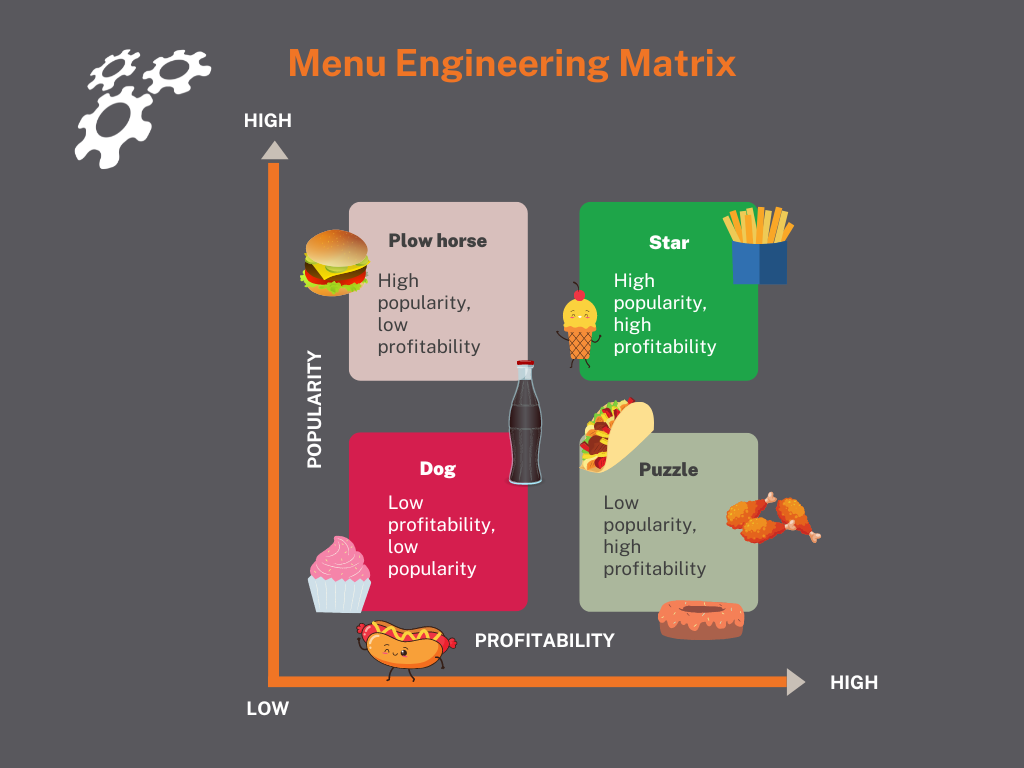
Menu Engineering: The Profitability Matrix
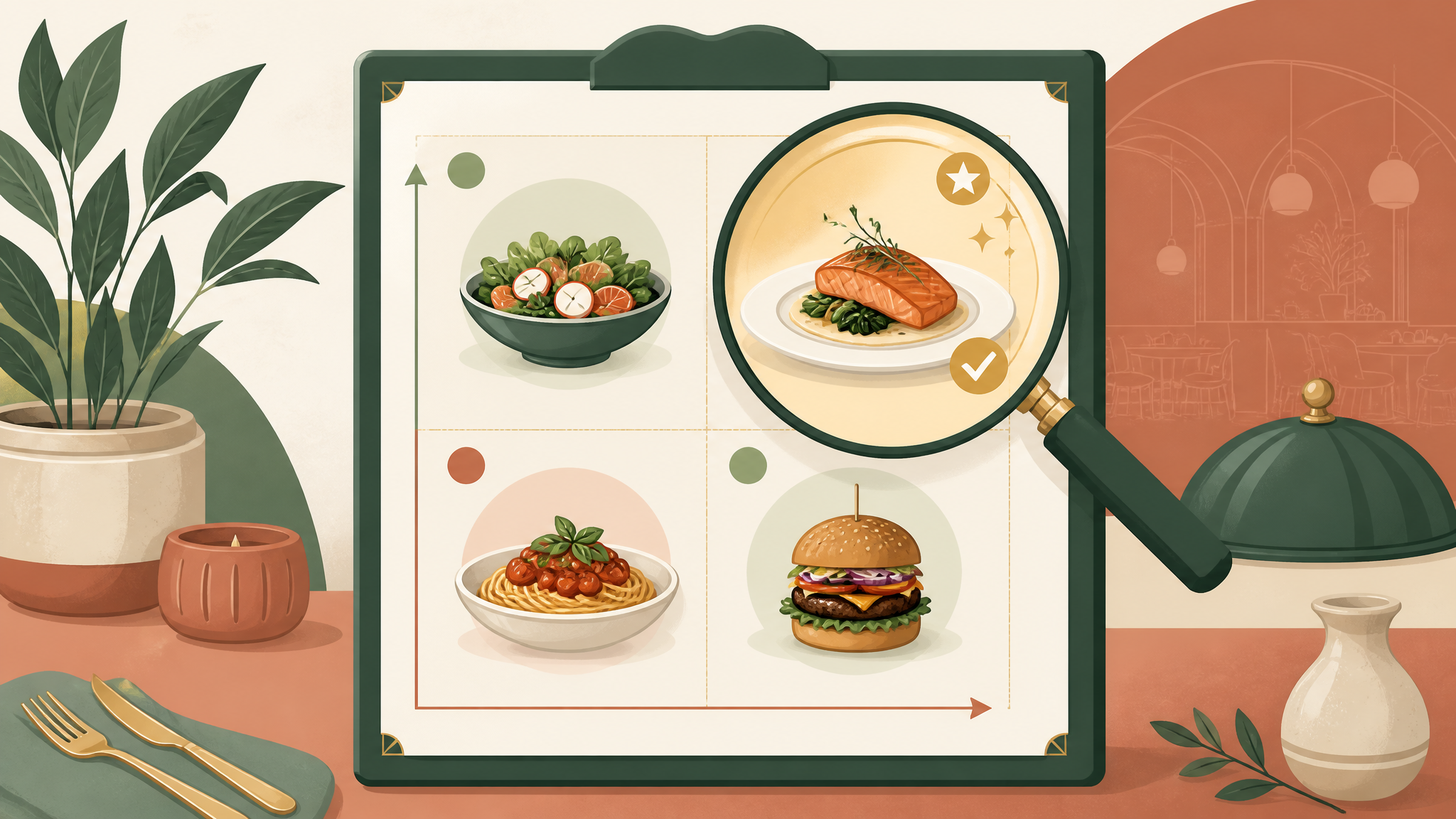
Menu engineering categorizes items by popularity and profitability:
The Four Categories
| Category | Popularity | Profitability | Strategy |
|---|---|---|---|
| Stars | High | High | Promote heavily, maintain quality |
| Plow Horses | High | Low | Raise prices or reduce cost |
| Puzzles | Low | High | Improve positioning, descriptions |
| Dogs | Low | Low | Consider removing |
Action Steps by Category
Stars (High popularity, high profit)
- Feature in prime menu locations
- Train servers to recommend
- Never discount
- Maintain quality at all costs
- Reduce portion size slightly
- Increase price gradually (2-3% at a time)
- Substitute less expensive ingredients
- Add profitable add-ons
- Move to better menu position
- Rewrite descriptions
- Train servers to recommend
- Add photos if appropriate
- Remove from menu
- Or dramatically reinvent
- Use ingredients elsewhere
Visual Design Elements
Typography
| Element | Recommendation |
|---|---|
| Font families | Maximum 2-3 |
| Body text size | 11-12pt minimum |
| Category headers | Bold, larger size |
| Prices | Same size as descriptions |
| Descriptions | Easy-to-read serif or sans-serif |
Color Psychology
| Color | Association | Use For |
|---|---|---|
| Red | Appetite, urgency | Specials, featured items |
| Orange | Enthusiasm, warmth | CTAs, highlights |
| Green | Fresh, healthy | Salads, vegetarian options |
| Brown | Earthiness, comfort | Rustic concepts |
| Black/Gold | Luxury, elegance | Fine dining |
Photos: To Use or Not?
| Concept | Photo Recommendation |
|---|---|
| Fine dining | Avoid (perceived as low-end) |
| Casual dining | Sparingly (1-3 hero shots) |
| Fast-casual | Recommended (improves ordering speed) |
| QSR | Essential (above counter displays) |
Special Sections and Callouts
Effective Callout Boxes
- "Chef's Recommendation" - Signals quality, boosts sales 20%+
- "House Favorite" - Social proof
- "New" - Attracts adventurous diners
- "Seasonal" - Creates urgency
- "Gluten-Free" / "Vegan" - Meets dietary needs
Kids Menu Strategy
- Keep it simple (5-7 items)
- Include one healthy option
- Price attractively (parents notice)
- Include a beverage in combos
- Consider activity placemat version
Digital Menu Considerations
QR Code Menus
Advantages:
- Easy to update prices
- No printing costs
- Can include photos and videos
- Track popular items
- Battery/connectivity issues
- Less personal
- Older demographics may struggle
- Harder to upsell
Best Practice
Offer both digital and physical options. Use digital for wine lists and specials that change frequently.
Menu Testing and Optimization
A/B Testing Strategies
- Test different descriptions for the same item
- Try different menu positions
- Experiment with pricing ($28 vs. $27 vs. $29)
- Test with and without photos
Key Metrics to Track
| Metric | Target | How to Track |
|---|---|---|
| Food cost per item | 28-32% | Recipe costing |
| Item popularity | Top 20% of items = 80% of sales | POS data |
| Average check | Increasing trend | POS reports |
| Attachment rates | Sides, drinks, desserts | Server tracking |
Common Menu Mistakes to Avoid
Menu Refresh Checklist
Review your menu quarterly with this checklist:
- [ ] Remove items selling less than 5% of category volume
- [ ] Analyze food costs for every item
- [ ] Update descriptions for puzzles and new items
- [ ] Adjust prices for cost increases
- [ ] Check placement of stars and high-margin items
- [ ] Review and refresh photos if used
- [ ] Test new items in specials before adding permanently
- [ ] Gather server feedback on customer questions/confusion
Key Takeaways
A strategically designed menu can increase your average check by 15-30% without adding a single customer. Remember:
Need help engineering your menu for maximum profitability? Our Menu Engineering Tool analyzes your items and provides specific recommendations to boost your bottom line.
Tags
Recommended Tools
Put This Knowledge Into Action
Use these tools to apply what you just learned